This does not mean every channel becomes identical. It means your team has one practical place to see the conversation and answer it.
Why this exists
The message you miss is always in the app you forgot to open.
A customer starts on the website, texts later, and sends a photo after dinner. When those pieces live in different places, somebody repeats themselves or gets ignored. The shared inbox keeps the thread attached to the person.
What this looks like
Every lead lands together. The next step is obvious.
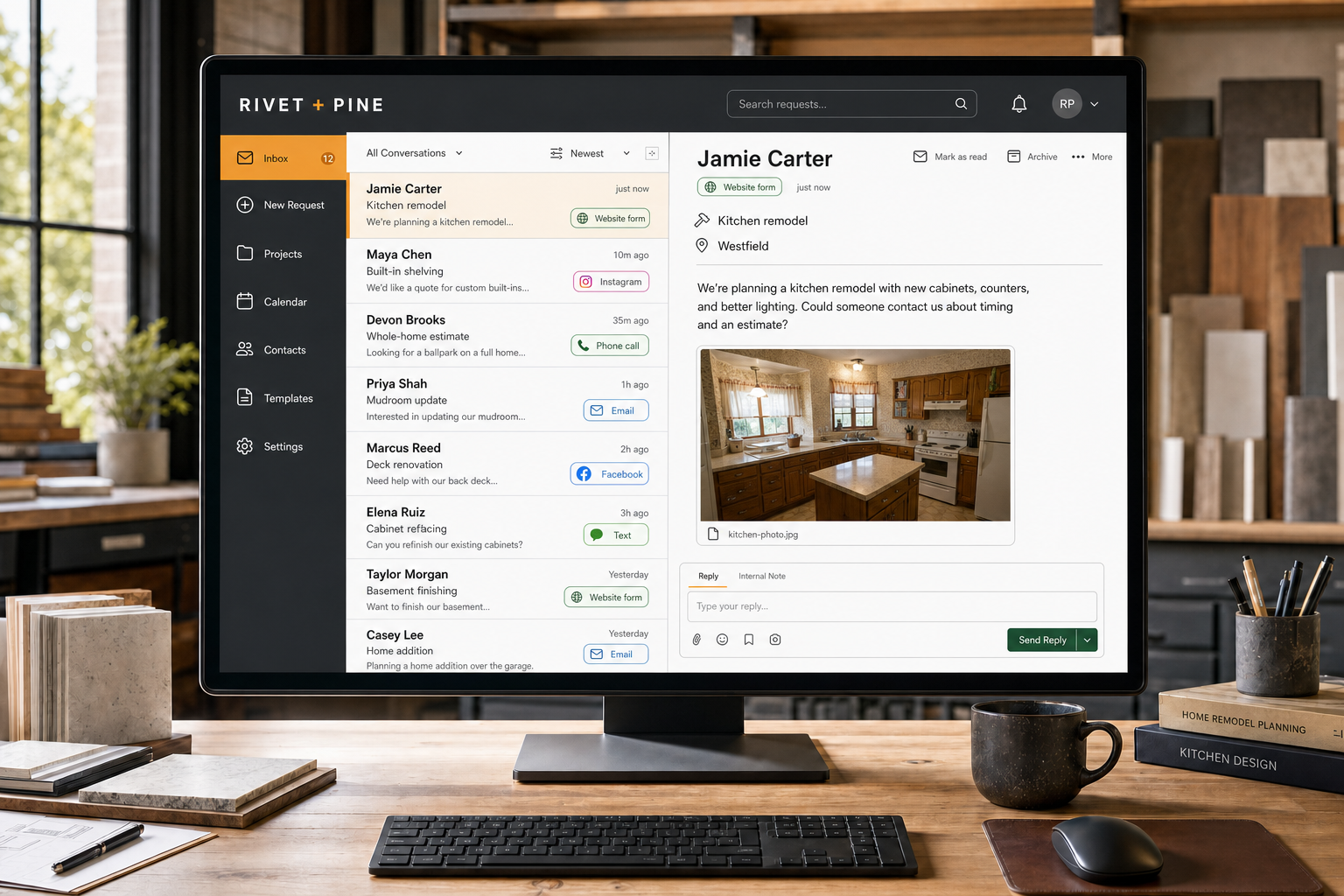
Website forms, calls, texts, email, and supported social messages arrive in one working inbox. Your team can respond quickly and turn the right conversations into booked work.
01 · Every source
New leads land in the same busy inbox.
Website forms, calls, texts, email, and supported social messages show up with the source and customer details attached.
Website, phone, and text
Email and supported social
One active queue
02 · Quick response
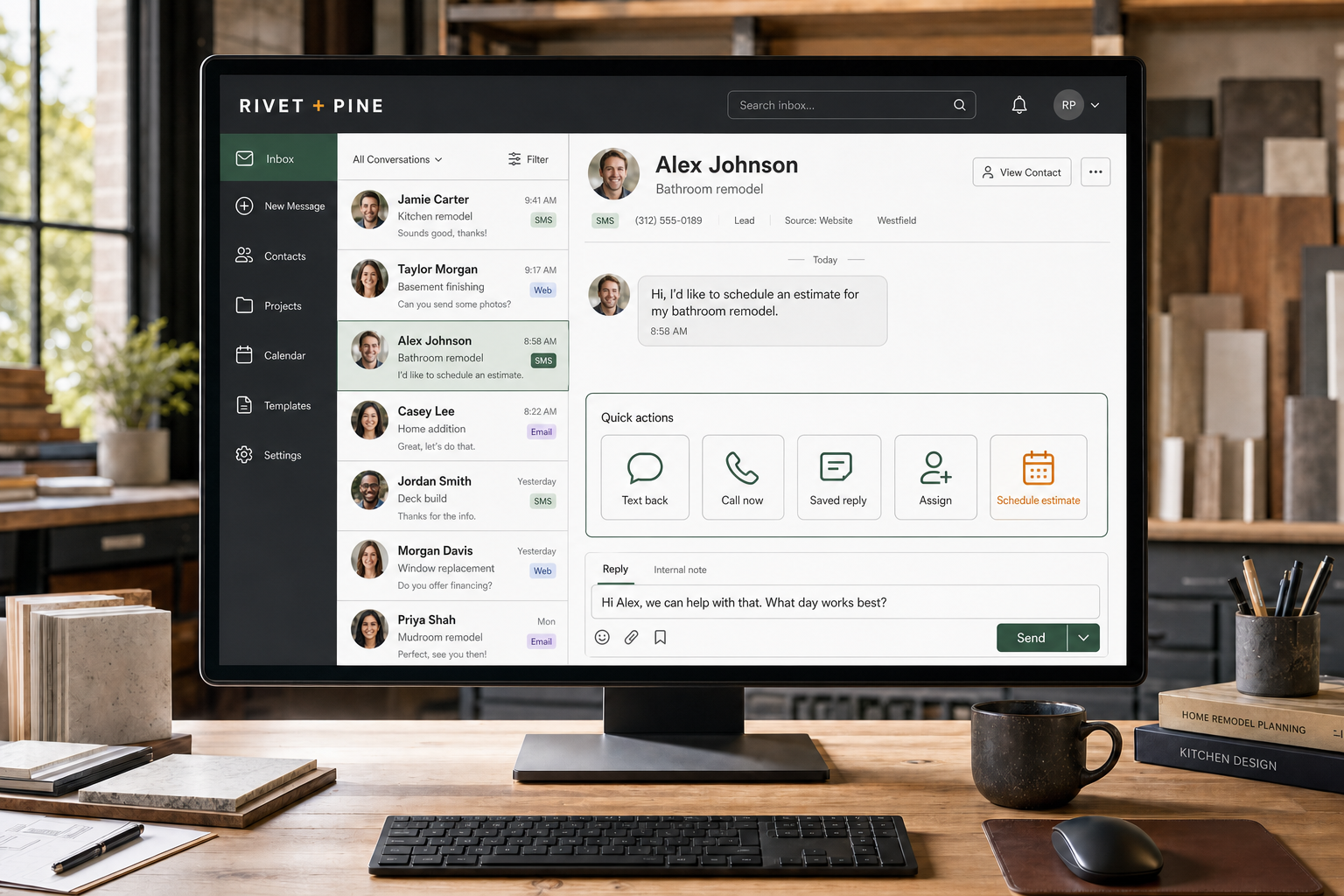
Reply, call, assign, or schedule without hunting.
Open the conversation, see what the customer needs, and choose the fastest useful next step from the same screen.
Text or call back
Use a saved reply
Assign or schedule
03 · New business
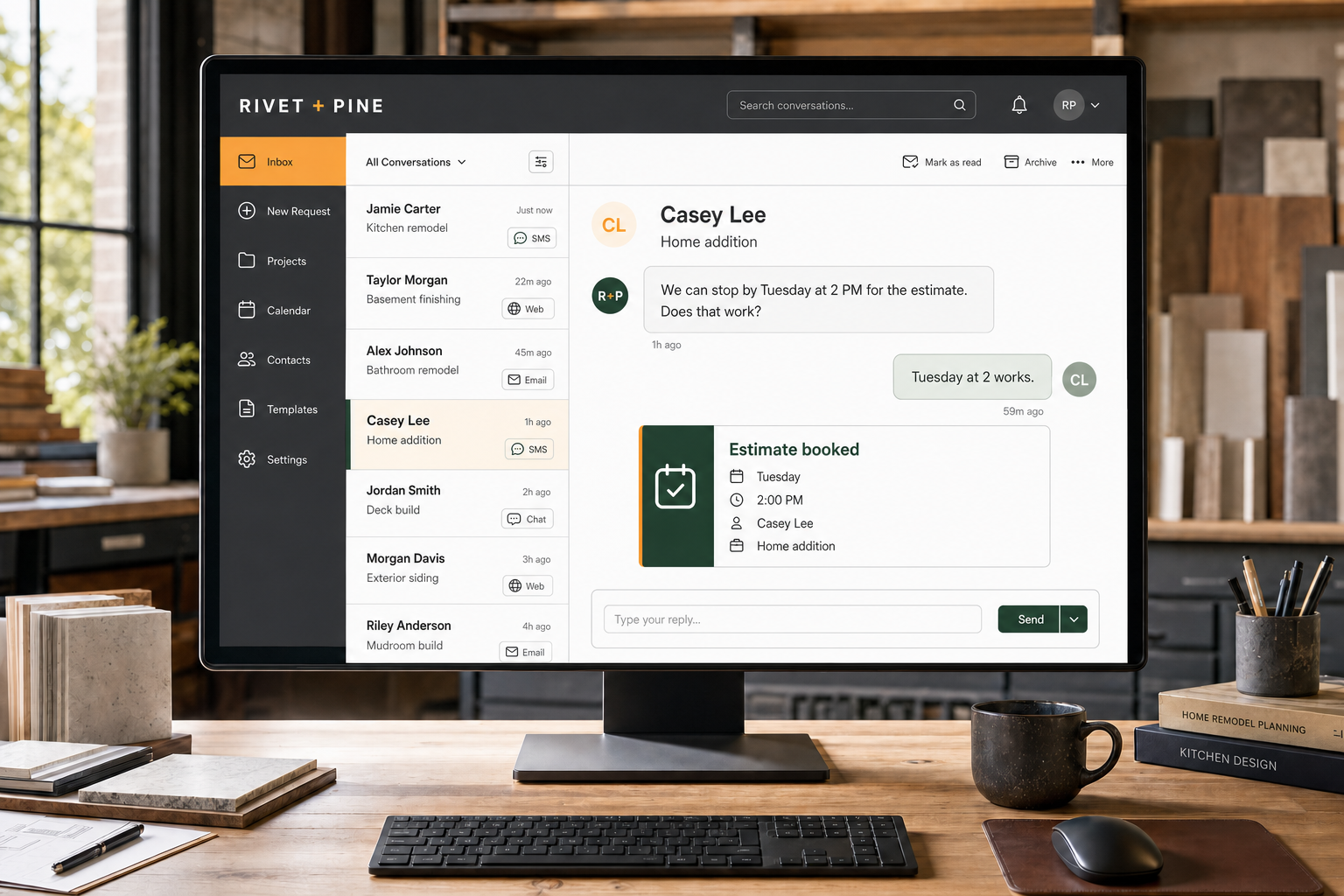
A fast answer can become a booked estimate.
When the customer is ready, move from conversation to a scheduled next step while the details are still in front of you.
Customer confirms
Estimate gets scheduled
History stays attached
How it actually works
From setup to a real customer conversation.
01
Message arrives
The supported channel routes the conversation into the inbox.
02
Contact is matched
The message connects to an existing customer or creates a new record.
03
Somebody owns the reply
You or a teammate answers without passing screenshots around.
04
The history stays put
Future calls and messages have context instead of starting from zero.
What is included
Everything you need to get started.
The exact setup follows the business, but this is the working scope behind the service—not a pile of vague “optimization” line items.
SMS and MMS inbox
Business-call history
Email connection
Website chat
Supported Facebook and Instagram messages
Customer contact records
Team notifications and assignments
Web and mobile access
Good fit
Yep.
Customer conversations are scattered across personal phones and random apps, and more than one person sometimes needs the context.
Bad fit
Nope.
You want a surveillance system, automatic replies to every situation, or access to channels the customer never used with your business.
Questions people actually ask
Straight answers before the sales call.
01Does this replace my phone?
It can provide a business number and app, but the exact setup depends on how you want calls routed and whether an existing number can be moved.
02Can my office and crew both use it?
Yes. Access can be set around the people who actually need to handle customer communication.
03Does it include social media?
Supported Facebook and Instagram messages can route into the inbox after the accounts are properly connected.
04Can I still answer from my phone?
Yes. The system has mobile access so you are not stuck at a desk.